QWave content example
Put a face to your business
A useful tip, a clear offer, or an answer to a question customers already ask. Build the message around your actual expertise.
The Higgsfield content tutorial by QWave
Learn to create AI scenes, adapt your own content, and finish your videos in CapCut. Some techniques use a short recording, reference photos, or a voice sample.
$67 once. Tool subscriptions and credits cost extra.
Four lessons, about 20 minutes in total.
Tutorial: 30-day full $67 refund, no questions asked. Tools cost extra.
See what you’ll learnOne useful tip.One clear message.One next step.
Your business. Your words.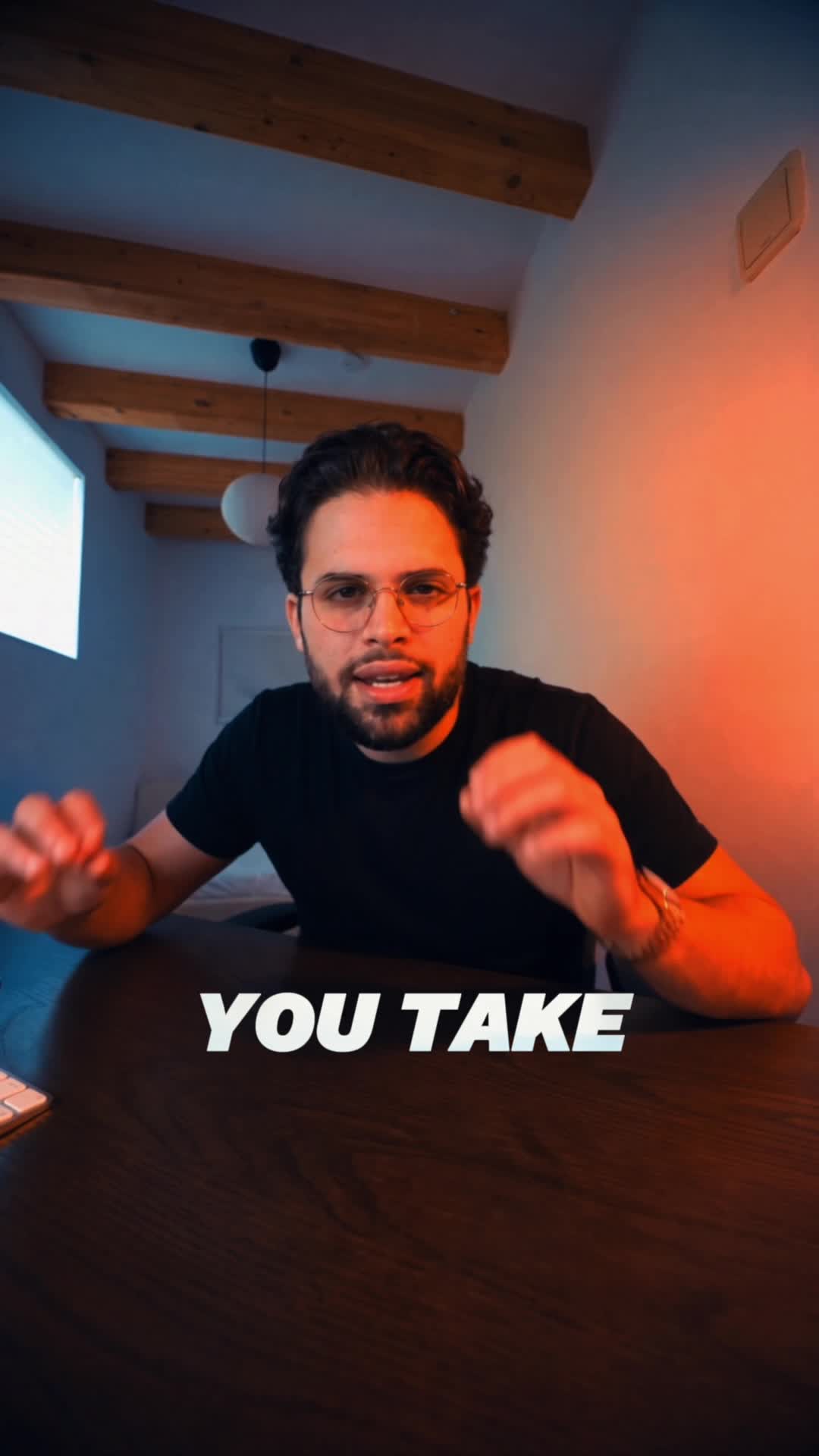
The whole workflow, in one place
Your $67 purchase covers the tutorial only. Higgsfield subscriptions and generation credits, and any paid CapCut plan or features you use, are not included.
Check before buying: Higgsfield · CapCut. Prices and features can change. CapCut pricing varies by region and device.
A little inspiration
A personal brand message. A refreshed scene. One useful idea your audience can take away.
QWave content example
A useful tip, a clear offer, or an answer to a question customers already ask. Build the message around your actual expertise.
QWave content example
A studio-style talking-head clip. Use this format to explain a useful idea, answer a common question, or introduce your service.
QWave content example
Create custom scenes to build your brand towards the type of content you want your audience to identify with. Put yourself in any setting.
What you’ll learn
Four recorded lessons, about 20 minutes in total. Follow them in order, or return to the step you need. Each one includes a written guide, prompts, and a review checklist.
Change the setting, replace a character or product, and adapt your own content for your team.
Build a reference image, write your scene and dialogue, and make a personal brand video.
Record or upload your voice sample, save it, and apply it to your generated video.
Cut the pauses, polish the audio, add captions, and export a vertical video.
Start some videos with a prompt or photo. Other techniques use a short source clip or voice sample.
Use generated scenes and editing to improve your presentation without arranging a full production shoot.
Start with reference photos or make product and service videos without appearing in them.
Learn to create scenes beyond the wall behind your desk using prompts and reference images.
Follow the Higgsfield voice lesson to record or upload your own voice sample. Review the result before publishing.
Follow a clear path through Higgsfield, Seedance, Genjutsu, and CapCut.
Use the included examples as a starting point, then adapt them to your business and review what the tool generates.
Cut pauses, polish audio, add captions, and export a vertical video in CapCut.
Focus on your message, audience, and next step, with a workflow you can use for business content.
Turn a useful tip, an offer, or a customer question into a simple video brief.
Reuse the creation and editing steps for your next idea. Each video still needs your review.
Build a practical way to turn ideas into videos without waiting to organize a full shoot every time.
Return to the recordings and download the lesson videos, written guides, prompts, and checklists.
You have 30 days to request a full $67 tutorial refund, no questions asked. Separate tool costs are excluded.
Built for business owners
You have a business to run. Content shouldn’t require a camera crew.
This teaches you to create and edit your own videos. Higgsfield and CapCut are paid separately. Subscriptions, generation credits and paid editing features are not included.
Make your credits count
The same 1,200 credits. A clear process for turning them into 5–10 high-quality videos.*
Guessing prompts and repeating generations can use your budget before you have a usable video.
Tutorial: $67 once. Tool credits cost extra.
Learn what to enter, what to fix, and how to finish the video. Briefs, reusable prompts, references, and a review checklist help you spend your credits deliberately.
Starter budget: Higgsfield $59/month, 1,200 credits. Optional CapCut premium: about $20/month.
*Estimate assumes the tutorial steps and efficient credit use; model, length, and retries affect results. Output and savings are not guaranteed. The $67 covers the tutorial only; tools cost extra. Check current pricing, promotions, and billing commitments: Higgsfield · CapCut.
Go through the lessons, use the prompts, and try making your first video. If you want a refund within 30 days of purchase, email support@qwavelabs.io. We will refund your full $67 tutorial purchase, no questions asked. No lesson completion or proof needed.
This unconditional guarantee covers the QWave tutorial. Separate provider subscriptions, generation credits, and other tool purchases are excluded.
One payment. Four recorded lessons.
Follow the Higgsfield, Seedance, Genjutsu and CapCut workflow at your own pace.
The $67 covers the tutorial only. Higgsfield subscriptions and generation credits, plus any paid CapCut plan or features you use, cost extra.
30-day unconditional money-back guarantee. Email support@qwavelabs.io within 30 days for a full $67 tutorial refund. Separate tool subscriptions and credits are excluded.
You have 30 days from purchase to request a full $67 tutorial refund, no questions asked. Email support@qwavelabs.io. This unconditional guarantee excludes subscriptions, credits, and other purchases from separate tool providers.
No polished performance is needed. Some techniques use a short recording or reference photos of you. You will learn to generate scenes from a written prompt and use reference images with compatible tools. You can also make product or service videos without appearing in them.
Higgsfield and CapCut are paid separately. The $67 purchase covers the tutorial. Higgsfield subscriptions and generation credits, and any paid CapCut plan or features you use, are not included. Check the tools and current plans before purchasing.
No. The tutorial is a one-time $67 purchase. Your subscriptions to Higgsfield, CapCut or other tools are separate.
You create, review, edit and publish your own videos. The lessons give you a repeatable process and prompt examples. You choose what to generate and approve the cost in your own Higgsfield account.
After payment, you receive an email with a tutorial link and your personal access code. Enter the code on this website to open the lessons, downloadable lesson videos, written guides, prompts, and checklists.
Yes. The workflow is designed around your offer, your audience, and your call to action. Start with one simple video, then repeat the process for your next idea.
Tutorial: 30-day full $67 refund, no questions asked. Tools cost extra.